Document types
From Document Types, you can view registered document types, manage their status, and access their permitted tax statuses.
Navigation path:
Invoicing → Settings → Document Types
1. Open Document Types
From the Invoicing module, go to Settings and select Document Types.
The list of document types appears.
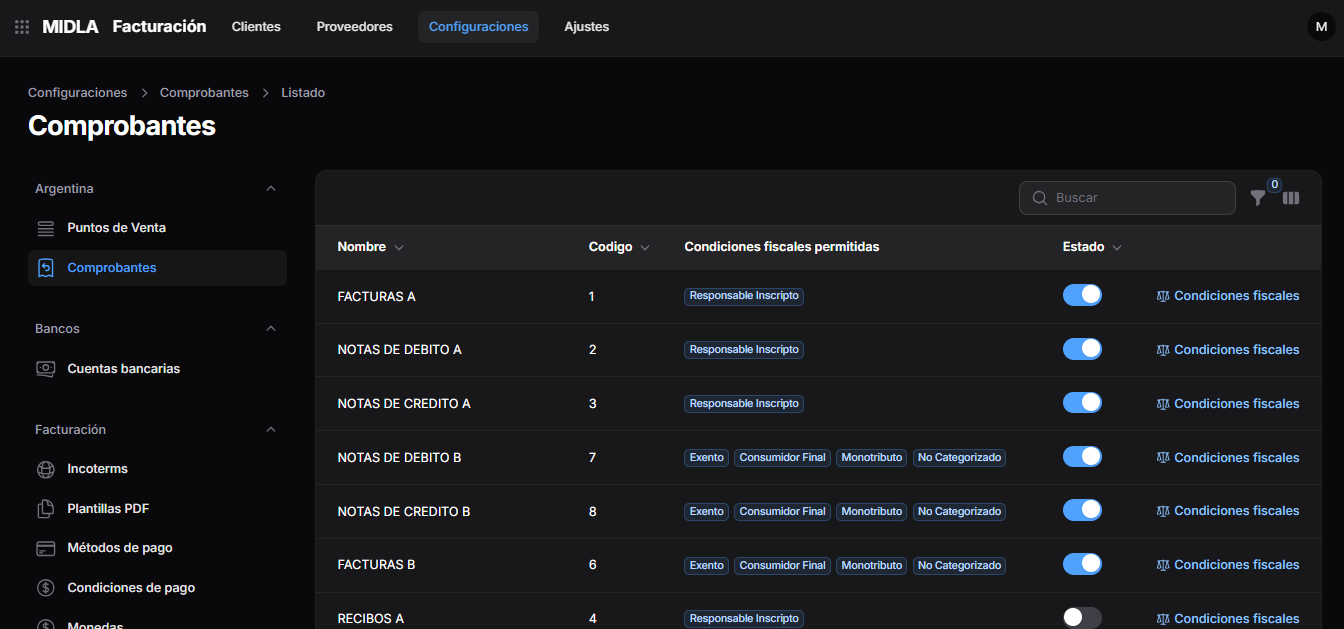
2. Review the list
For each document type, the list displays:
- Name: identifies the document type.
- Code: displays the corresponding code.
- Permitted Tax Statuses: indicates the associated tax statuses.
- Status: shows whether the document type is active or inactive.
Use the Search field to find a record.
3. Activate or deactivate a document type
In the Status column, use the toggle for the corresponding record.
- Blue: active.
- Gray: inactive.
4. Access tax statuses
In the row of the document type you want to configure, select Tax Statuses.
The currently associated statuses appear in the Permitted Tax Statuses column.
This screen is used to configure document types.