Helpdesk Overview
Overview provides a summary of Helpdesk activity. It brings together ticket status, priorities, personal performance, and team metrics in one dashboard.
In this guide
- Open the Overview dashboard
- Review My Tickets
- Review My Performance
- Review Team Summary
- Search and filter the dashboard
Open the Overview dashboard
Go to Helpdesk → Overview. The dashboard displays summaries of tickets, priorities, and performance.
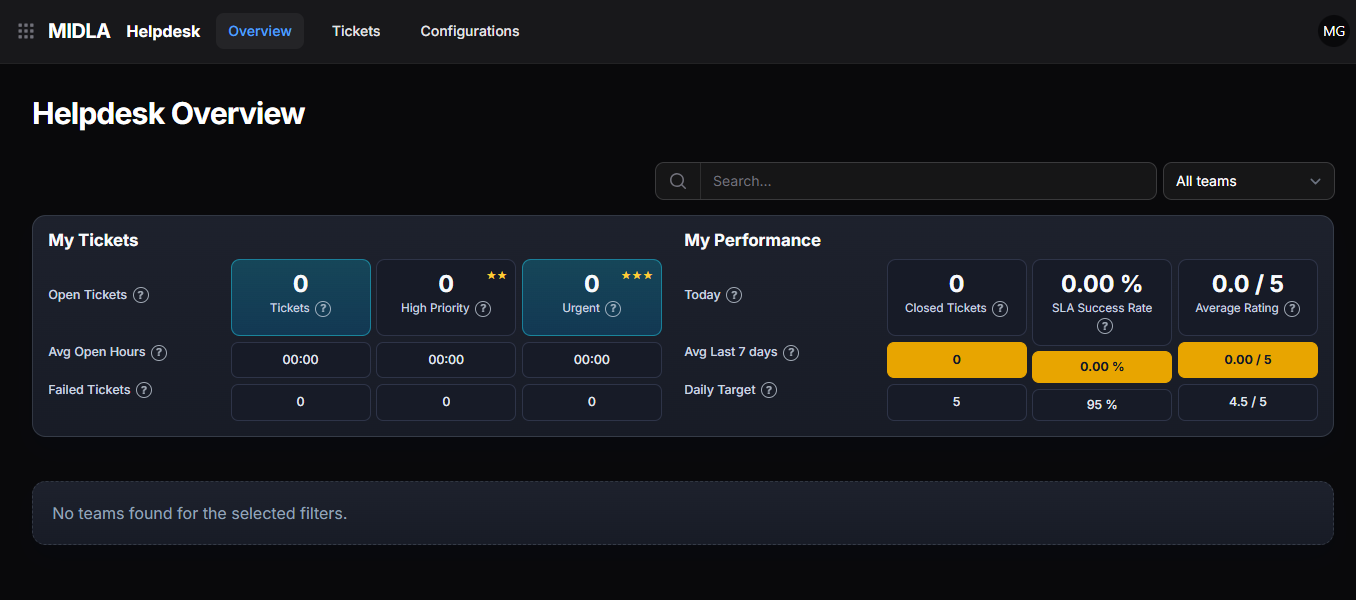
Figure 1. Helpdesk Overview
The dashboard groups the information into My Tickets, My Performance, and Team Summary.
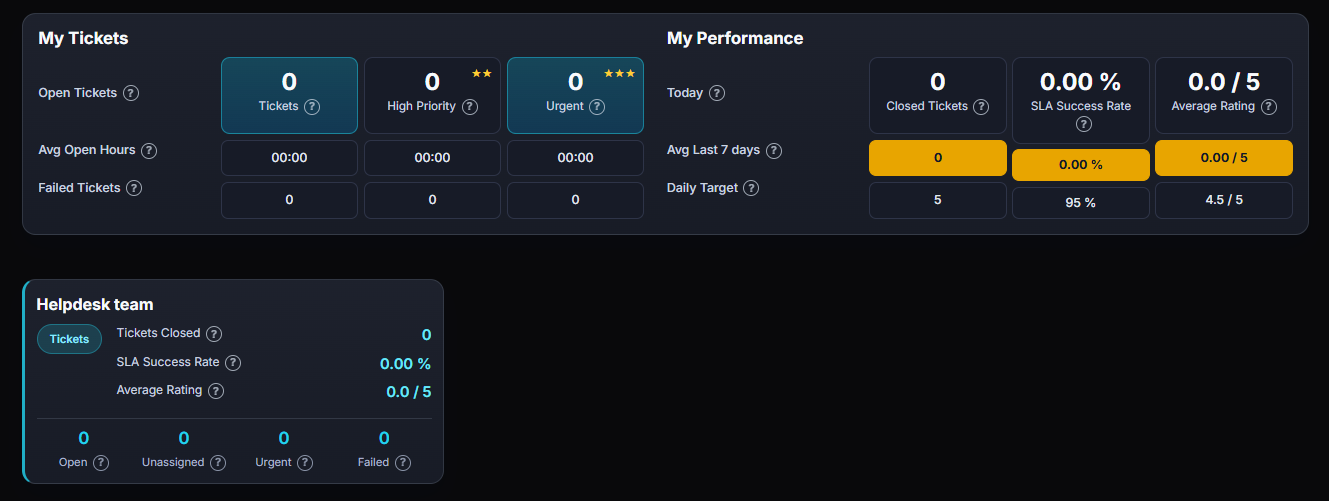
Figure 2. Overview dashboard
Review My Tickets
My Tickets summarizes the tickets assigned to you and shows their current workload and timing indicators.
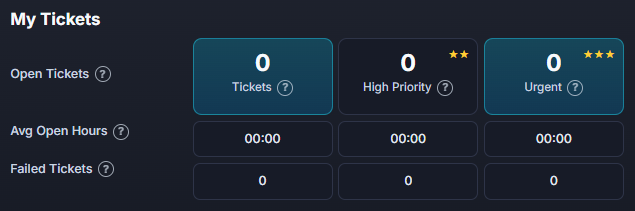
Figure 3. My Tickets
| Metric | What it shows |
|---|---|
| Tickets | Total number of tickets assigned to you. |
| High Priority | Assigned tickets marked as high priority. |
| Urgent | Assigned tickets marked as urgent. |
| Open Tickets | Assigned tickets still open. |
| Average Open Hours | Average time tickets have remained open, in hours. |
| Failed Tickets | Tickets that exceeded the established resolution times. |
Review My Performance
My Performance shows metrics for your completed work and service levels.
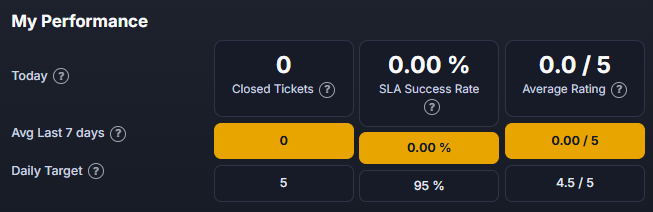
Figure 4. My Performance
| Metric | What it shows |
|---|---|
| Closed Tickets | Number of completed tickets. |
| SLA Success Rate | Percentage of service-level agreement compliance. |
| Average Rating | Average rating received. |
The section also shows Today values, the Last 7 Days Average, and the configured Daily Target.
Review Team Summary
Team Summary displays metrics for each configured Helpdesk team.
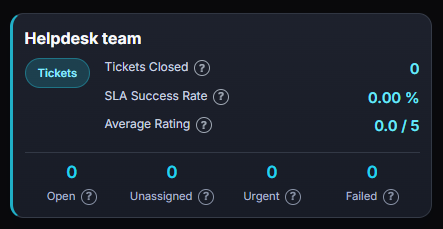
Figure 5. Team Summary
| Metric | What it shows |
|---|---|
| Closed Tickets | Tickets completed by the team. |
| SLA Success Rate | Team service-level agreement compliance. |
| Average Rating | Average rating received by the team. |
| Open | Tickets currently open. |
| Unassigned | Tickets without an assigned user. |
| Urgent | Tickets marked as urgent. |
| Failed | Tickets that exceeded the established times. |
Team Summary is available when teams have been created in Helpdesk → Configurations → Teams.
Search and filter the dashboard
The dashboard includes tools to find information and narrow the displayed results.

Figure 6. Dashboard tools
| Tool | What it does |
|---|---|
| Search | Finds tickets or specific information in the dashboard. |
| Team Filter | Displays information for the selected team. |