Timesheets
What are timesheets?
Timesheets record the time spent working on tasks within projects.Each timesheet is linked to a task and is entered from that task's detail view. The Projects → Timesheets section brings these records together so you can review hours across projects.
In this guide
- Access the timesheet list
- Choose a list view
- Search and organize records
- Review timesheet information
Access the timesheet list
Go to Projects → Timesheets to view the hour records entered in the system.
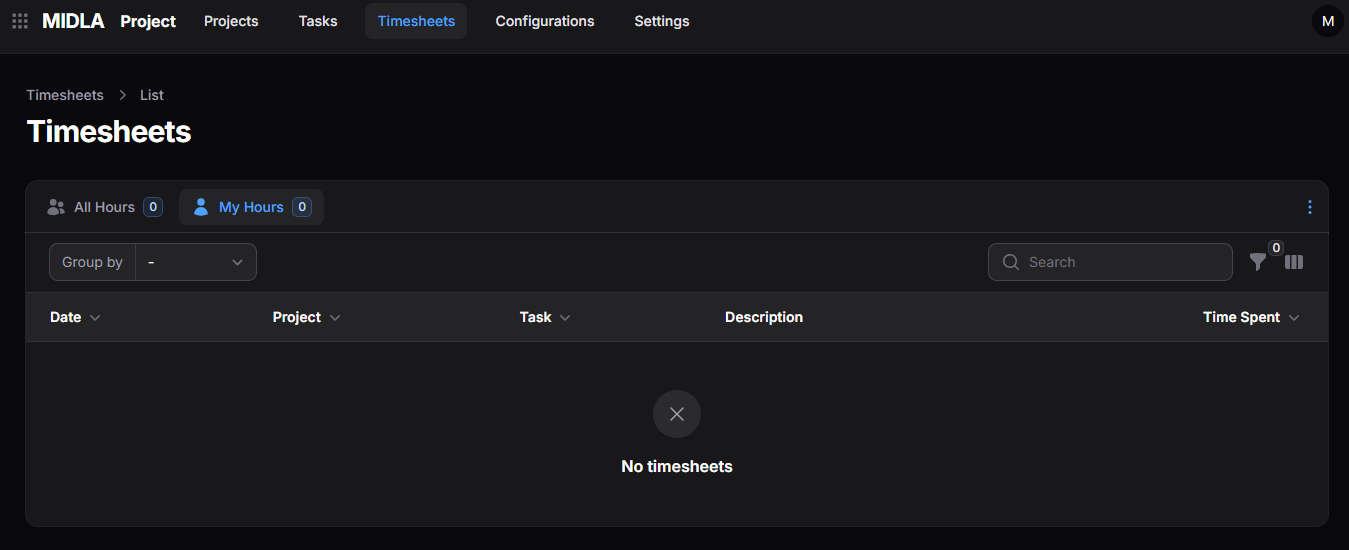
Figure 1. Timesheets list
This list shows records from different projects. To enter time for a specific task, open the Timesheets section within that task.
List views
- All Timesheets: displays all timesheet records in the system.
- My Timesheets: displays records associated with the current user.
List tools
Groups timesheets according to the available criteria.
Locates records using keywords or related information.
Displays records that meet the selected conditions.
Lets you choose which columns appear in the list.
The Summary at the bottom of the list displays the total hours recorded in the current view.
Timesheet information
Timesheets appear in a table with the following fields:
- Date: the date of the record.
- Project: the associated project.
- Task: the task linked to the record.
- Description: a description of the work performed.
- Employee: the user responsible for the record.
- Hours Spent: the number of hours recorded.
The Project and Task fields link directly to their respective records. Select either one to open its detail view.