Introduction
This manual describes the features available in Midla CRM and serves as a guide for commercial management and system configuration.
What is Midla CRM?
Midla CRM is a tool that allows users to manage and track leads and business opportunities throughout the entire sales process.From the first contact to the closing of an opportunity, it helps organize information, record interactions, and monitor each ongoing business opportunity.
System Objective
The objective of Midla CRM is to centralize the management of leads, opportunities, and commercial activities in a single platform.This allows businesses to optimize sales follow-up, improve information traceability, and support decision-making throughout the entire sales process.
System Navigation
Sales
The Sales section brings together the commercial management functionalities of Midla CRM.
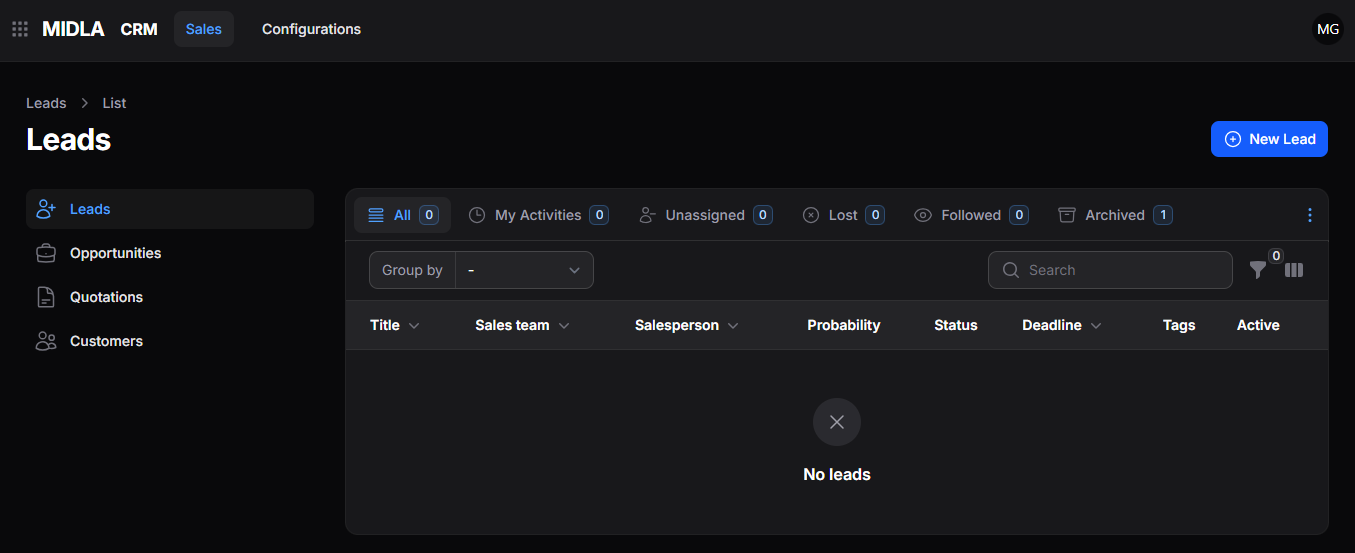
Figure 1. Main interface of the Sales section
From this section, it is possible to:
Allows registering and organizing potential customers within the system.
Makes it easier to monitor and advance business opportunities at each stage.
Allows creating business proposals linked to active opportunities.
Centralizes access to relevant customer data to improve sales management.
Configurations
The Configurations section brings together the configuration functionalities of Midla CRM.
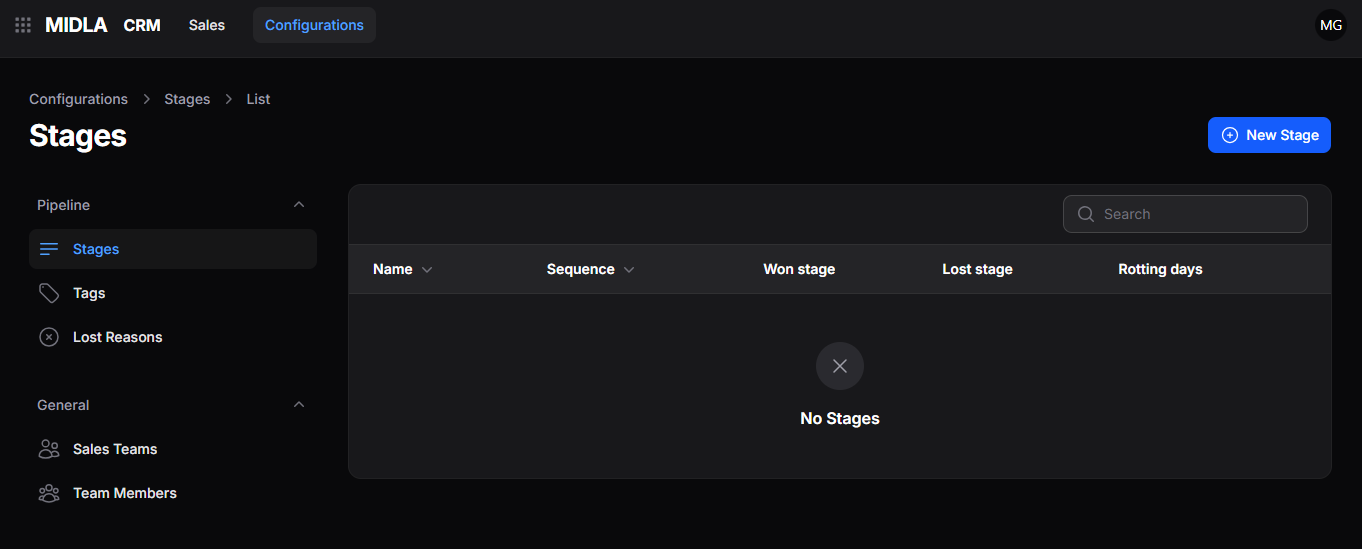
Figure 2. Main interface of the Configurations section
From this section, it is possible to:
Allows configuring and organizing the stages that make up the opportunity workflow.
Makes it easier to classify and organize records using custom tags.
Allows registering and managing the reasons why an opportunity may be marked as lost.
Allows organizing and managing different sales teams within the system.
Makes it easier to assign and manage users within each sales team.
This section provides a general overview of how the platform works. To explore each module, its tools, and its processes in more detail, continue with the following sections of the documentation.