Introduction
This manual describes the features available in Midla Helpdesk and serves as a guide for ticket management, incident tracking, and support follow-up.
What is Midla Helpdesk?
Midla Helpdesk is a tool designed to manage support tickets, centralize incidents, and optimize customer service.It allows users to register requests, assign them to responsible agents, and track each case until resolution.
System Objective
The objective of Midla Helpdesk is to centralize ticket management and simplify the operational follow-up of each incident within a single platform.This improves team organization, optimizes response times, and ensures compliance with established service level agreements.
System Navigation
Overview
The Overview section provides a general summary of the Helpdesk operation.
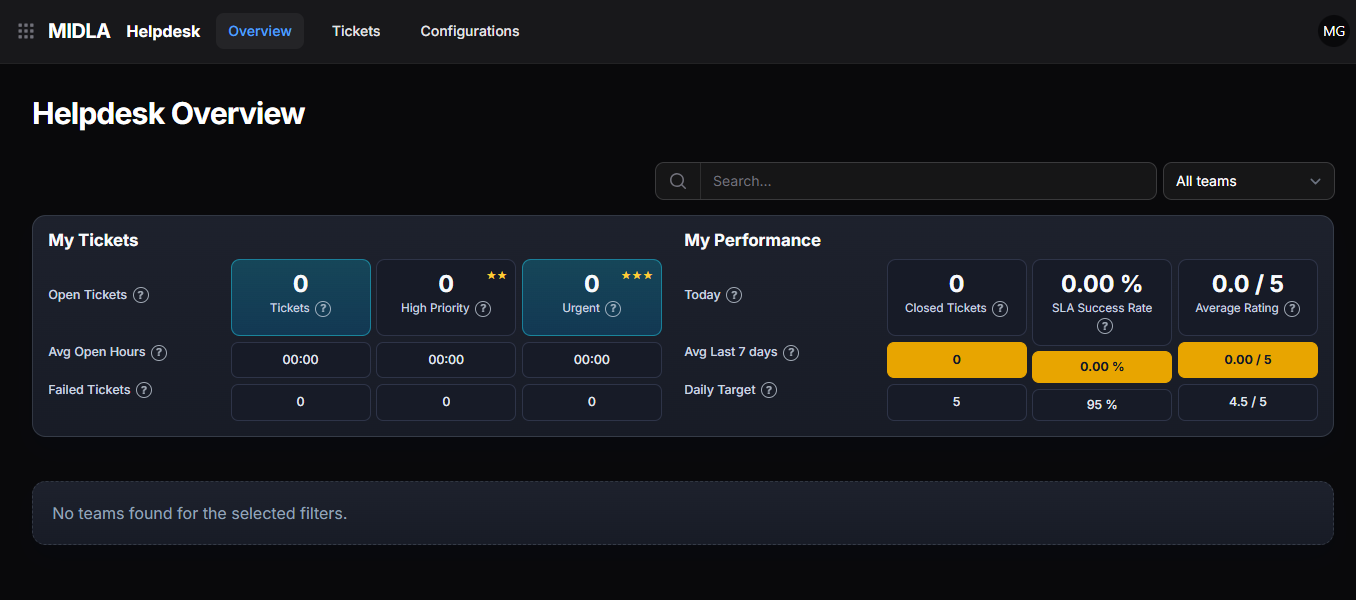
Figure 1. Main interface of the Overview section
From this section, you can:
Allows you to view all active tickets that still require attention or resolution.
Makes it easier to quickly identify high-priority tickets for faster management.
Allows you to consult key indicators related to ticket management and resolution.
Helps supervise compliance with the established service level agreements.
Allows organizing and reviewing tickets according to the assigned teams within the system.
Tickets
The Tickets section contains the main incident management features.
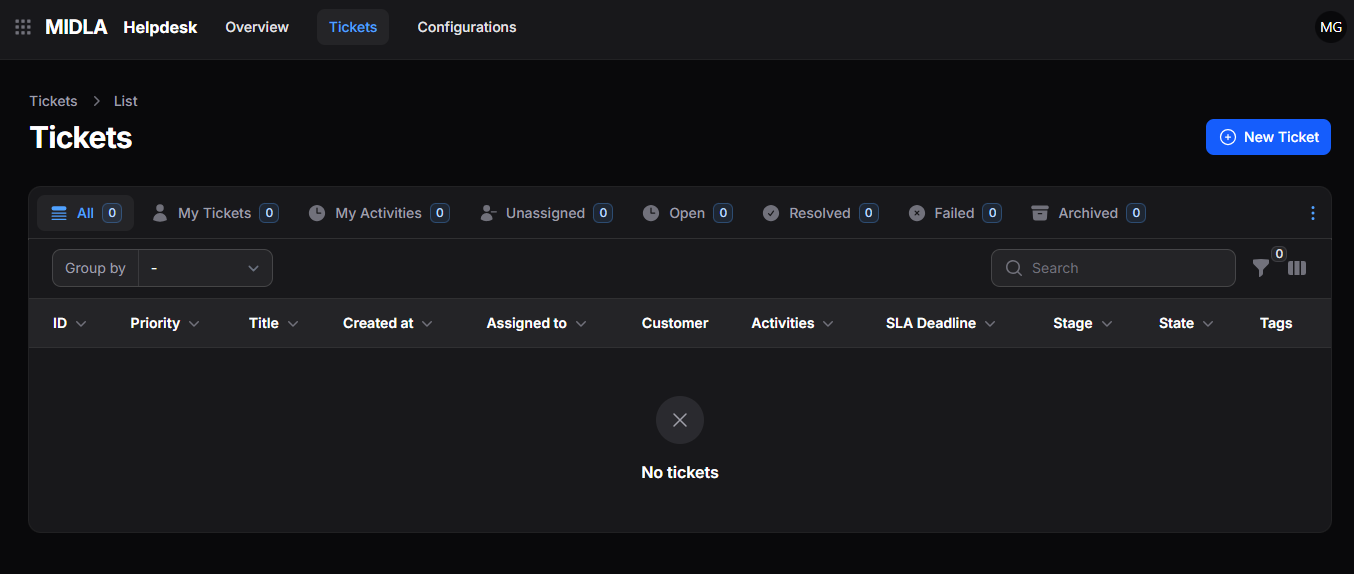
Figure 2. Main interface of the Tickets section
From this section, you can:
Allows registering incidents, requests, or inquiries within the system.
Makes it easier to review and track existing tickets from the main list.
Allows updating ticket data, details, or settings whenever needed.
Allows updating the ticket status as its management progresses.
Allows defining responsible users and priority levels to optimize support.
Configurations
The Configurations section contains the configuration options of the Helpdesk module.
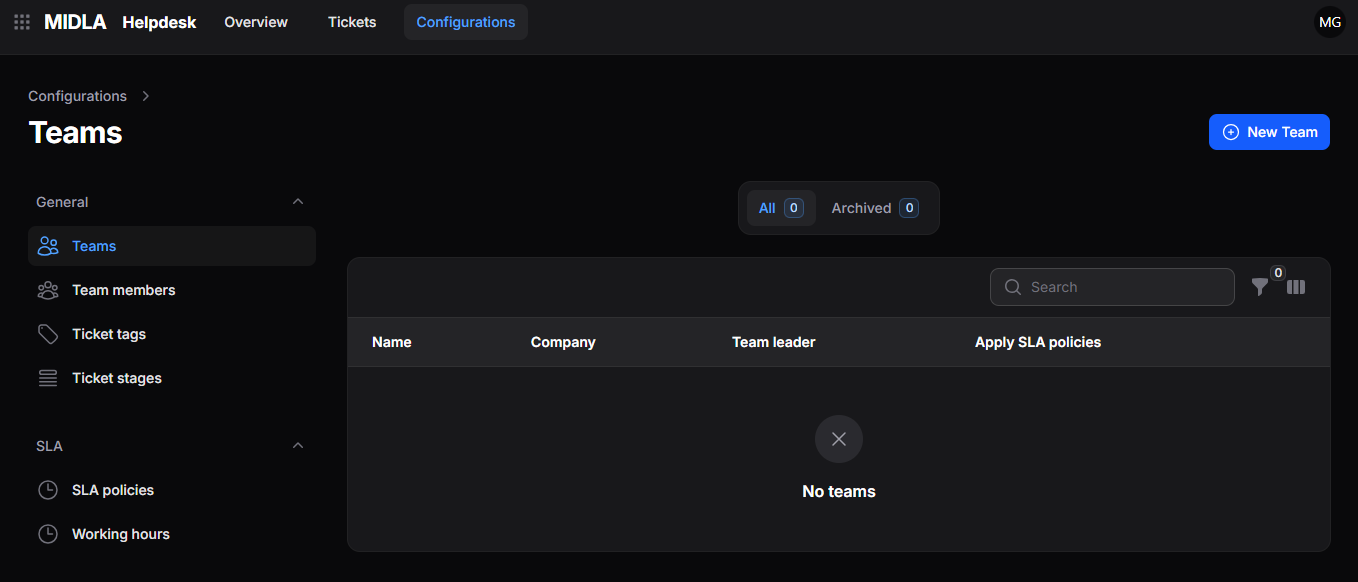
Figure 3. Main interface of the Configurations section
From this section, you can:
Allows creating and organizing the teams responsible for ticket management.
Makes it easier to classify tickets according to their purpose or nature.
Allows defining priority levels to organize ticket handling.
Allows setting service level agreements and expected response times.
Helps organize and track the workflow of tickets.
This section provides a general overview of how the platform works. To explore each module, its tools, and processes in more detail, continue with the following sections of the documentation.